
Sign in free to use this tool
50 credits / day on the free plan — no credit card required. You'll need an account before the Generate button below will work.
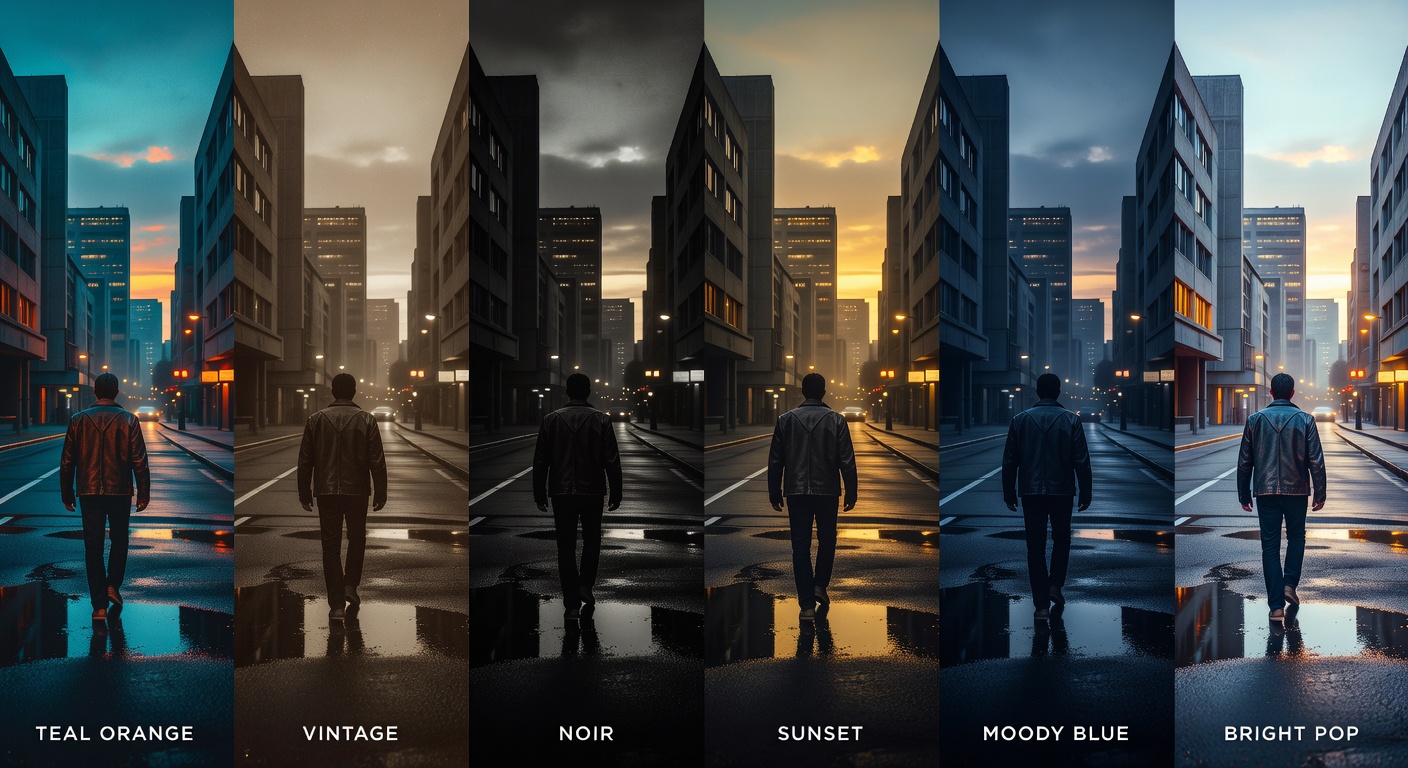
Example output:
No Image Selected
Upload an image and choose a cinematic color grade to transform its mood.
What is AI Color Grading?
Color Grading applies precise adjustments to enhance tones in photos and videos with AI guidance. Photographers, videographers, and small-business marketers use it to achieve professional looks without complex software. It balances exposure, saturation, and hues for consistent branding, processing files in seconds and exporting in standard formats like JPG for images or MP4 for videos, typically 2-10MB depending on length.
How it works
- 1
Upload your photo or video file.
- 2
Use sliders or AI presets to adjust color balance, contrast, and warmth.
- 3
Preview changes in real-time on your original media.
- 4
Apply and export in your chosen format, ready for immediate use.
Popular use cases
- Enhancing Instagram photos for freelance photographers' portfolios.
- Adjusting YouTube video colors to match brand guidelines for content creators.
- Retouching product images for small e-commerce listings on Shopify.
- Balancing tones in client event videos for wedding videographers.
- Grading real estate photos to highlight property features for agents.