Sign in free to use this tool
50 credits / day on the free plan — no credit card required. You'll need an account before the Generate button below will work.
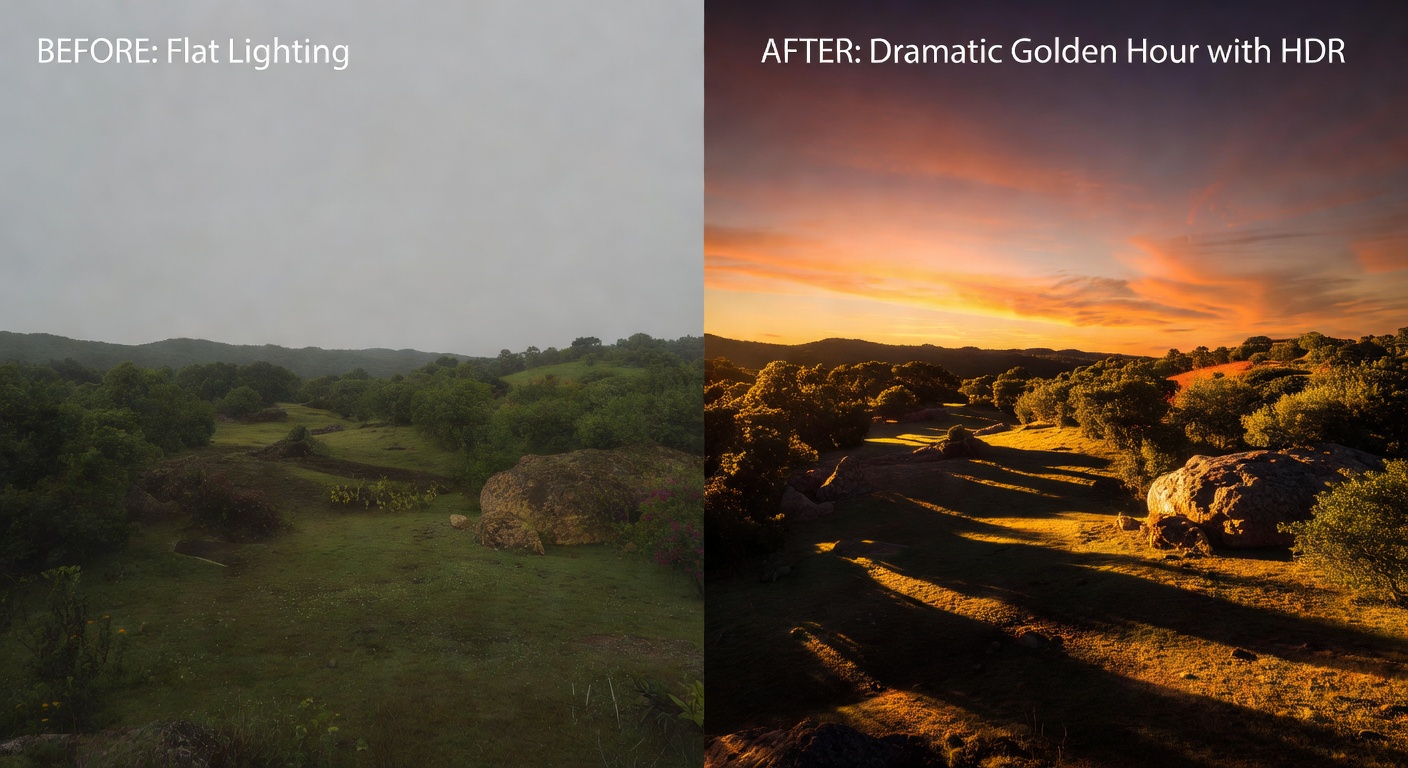
Example output:
No Image Selected
Upload an image to transform its lighting.
What is AI HDR Enhancer?
The HDR Enhance tool improves the dynamic range of your photos, bringing out details in shadows and highlights for a more balanced look. Photographers and small-business owners use it to polish product shots or event images without expensive equipment. It processes files efficiently, handling up to 20MB images in seconds and outputting in standard formats like JPEG, making it practical for quick edits in freelance workflows or online stores.
How it works
- 1
Upload a single photo or batch of images.
- 2
Select auto-enhance or adjust exposure and contrast manually.
- 3
Review the preview and apply any fine-tuning.
- 4
Download the HDR-enhanced files in original resolution.
Popular use cases
- Brighten real estate listing photos for agents.
- Enhance food photography for restaurant menus.
- Improve outdoor event shots for freelance videographers.
- Refine jewelry images for online boutique catalogs.
- Balance lighting in portrait sessions for headshot packages.