
Sign in free to use this tool
50 credits / day on the free plan — no credit card required. You'll need an account before the Generate button below will work.
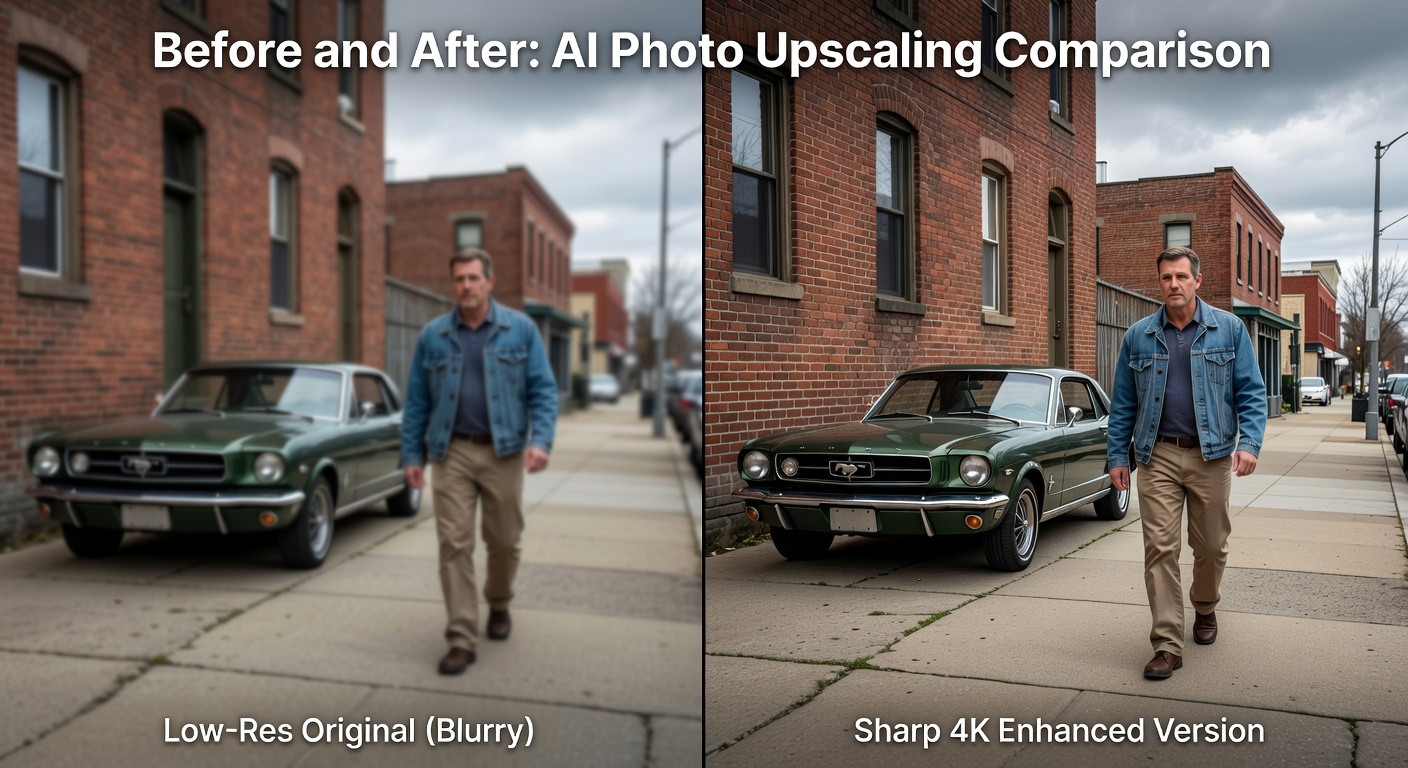
Example output:
No Image Selected
Upload an image to enhance with AI-powered upscaling.
What is Upscaler?
The Upscaler tool enhances image resolution for creators and freelancers working with low-quality photos or graphics. It increases pixel count up to 4x without visible artifacts, producing sharp outputs in JPEG or PNG formats. Small-business owners benefit by improving product images for websites or social media, ensuring professional visuals that load quickly. This saves the cost of hiring retouchers and speeds up content workflows.
How it works
- 1
Upload your image file, supporting JPEG, PNG, or WebP up to 10MB.
- 2
Choose upscale factor like 2x or 4x, and select noise reduction if needed.
- 3
Process starts immediately, completing in under 30 seconds for most files.
- 4
Download the enhanced version, now larger in dimensions but under 20MB.
Popular use cases
- Enhancing blurry product photos for Shopify store listings.
- Upscaling old family portraits for freelance photography portfolios.
- Improving low-res scans for small print shop catalogs.
- Refining social media graphics for influencer client campaigns.
- Boosting resolution of event flyers for local business promotions.
- Preparing higher-quality thumbnails for YouTube video creators.